Naming APIs
An unconfigured host names itself. Map hostnames to one API name, or resolve names from the request.
The dashboard's top level is a list of APIs, and every chart line, filter and breadcrumb below it hangs off an API name. Requizon works that name out from each request as it records it. You never pass it at the call site.
The default: the host#
With nothing configured, an API is named after the host the call went to. A call to api.github.com is
recorded under api.github.com, so an application that sets nothing up still gets one readable row per
dependency on day one.
That stops being enough when one vendor is spread over several hosts. Stripe answers on api.stripe.com
and files.stripe.com, a booking API might have a ws and a ws2, and an S3 bucket
per environment is a host per bucket. Named by host, each is its own row, and the question "how is Stripe doing?"
has no single answer on the overview.
Mapping hosts to a name#
apis maps a name to the hosts it covers. Patterns use Str::is(), so * matches
any run of characters:
// config/requizon.php
'apis' => [
    'stripe' => ['api.stripe.com', 'files.stripe.com'],
    'nausys' => ['ws.nausys.com', 'ws2.nausys.com'],
    's3'     => ['*.s3.eu-west-1.amazonaws.com'],
    'google' => '*.googleapis.com',
],
A single pattern can be a plain string. Entries are tried in order and the first match wins, so put a narrow pattern above a broad one that would also match it. A host that matches nothing falls back to naming itself.
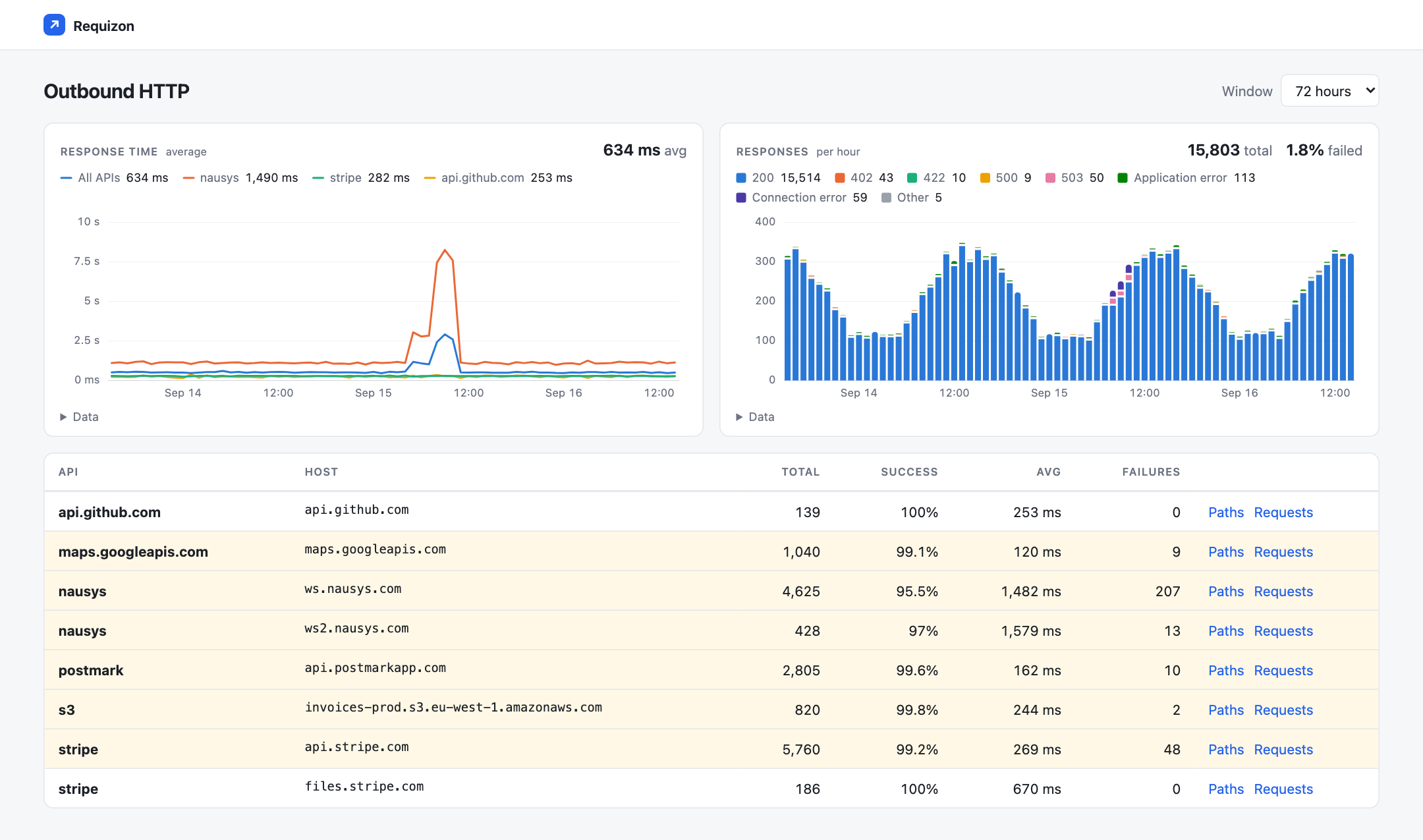
The name groups the overview, and the host is kept alongside it. An API that spans several hosts is listed once per host on the overview, and its paths page covers all of them. Opening the paths page from one host's row narrows it to that host.
Choosing names#
- Names are stored on every row, so renaming an API splits its history: the old name's row stops, and the new one starts empty. Settle on names before production if you can.
-
Names appear in dashboard URLs (
/requizon/stripe/paths), so short, lowercase names without slashes read best. - Names longer than 64 bytes are cut to fit the column.
Naming from something other than the host#
Sometimes the host cannot tell two APIs apart: a gateway that fronts several services, a vendor whose v6 API lives
beside v5 on the same hostname, or a tenant header that decides which account a call is billed to. Register a
resolver in your RequizonServiceProvider:
use BoringO11y\Requizon\Requizon;

public function boot(): void
{
    parent::boot();

    Requizon::resolveApiUsing(function ($uri, $request) {
        if ($uri->getHost() === 'gateway.example.com') {
            return explode('/', trim($uri->getPath(), '/'))[0] ?: null; // "billing", "search", ...
        }

        return str_starts_with($uri->getPath(), '/v6/') ? 'nausys-v6' : null;
    });
}
It receives the PSR-7 URI and the request. Return a name to use it, or null to fall through to the
apis map and then to the host. That fall-through is the point: a resolver only has to handle the cases
the map cannot, and every other host keeps working as before.
The name is part of the rollup's key, like the path. A resolver that returns something unbounded (a tenant id, an order number) adds rollup rows for every distinct value and turns the overview into a list nobody can read. Name the service, and let the path carry the rest.